One suite for the whole event.
Five tools that share one account, one design, and one idea — AI that handles the busywork so you can run the moment. Plan the day, present the service, run the organisation, gather the room, and annotate the cut. Open a product to go deep, and find its user manual on its page.
All applications
5 tools · one accountSlides that follow the room.
macOS & Windows
Explore PresenterPlan and run your day with AI routines.
Web, Mac & Windows
Explore ScheduleTimecoded notes inside DaVinci Resolve.
macOS
Explore Editors' NotesOne dashboard for your whole organization.
Web
Explore ManagerA shared 3D space for your audience.
Web, Desktop & VR
Explore WorldSlides that follow the room.
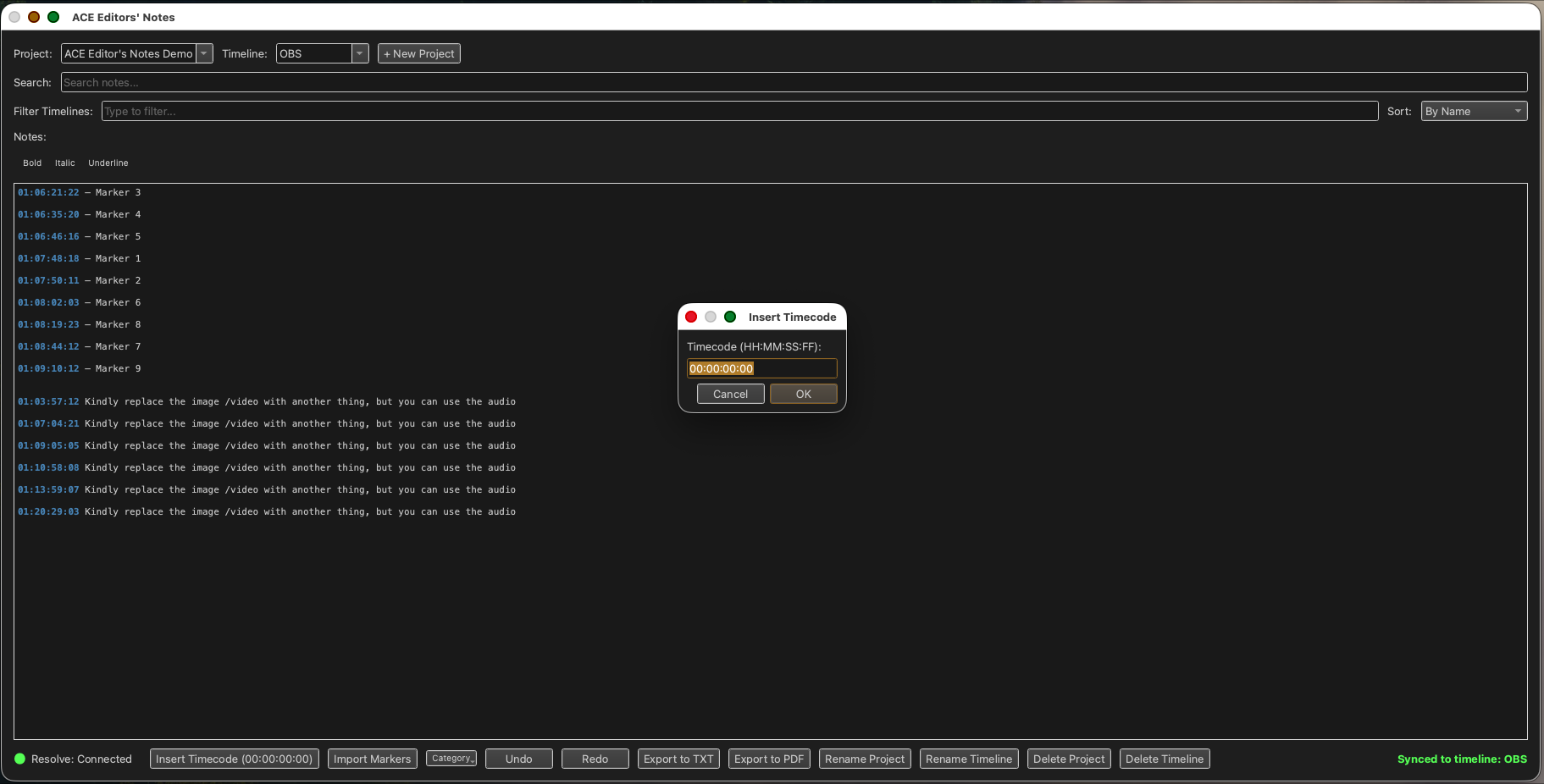
Live worship and event presentation that listens to the room. As the worship leader sings or the speaker reads, ACE Presenter recognises the moment and moves to the right lyric or verse — so the operator stays in control instead of chasing the service.
- Auto-follow detection advances lyrics and scripture as they're sung and spoken — on-device or in the cloud.
- Songs, scripture, media, and announcements in one running order, with arrangements and service plans.
- A full theme editor, looks, lower-thirds, and a stage / confidence monitor.
- Multi-screen output with corner-pin keystone, colour grade, and per-layer control.
- Streaming, NDI, capture cards, ATEM control, and spatial audio for the whole room.
- Run the service from your phone — cues, live preview, and video transport over your network.
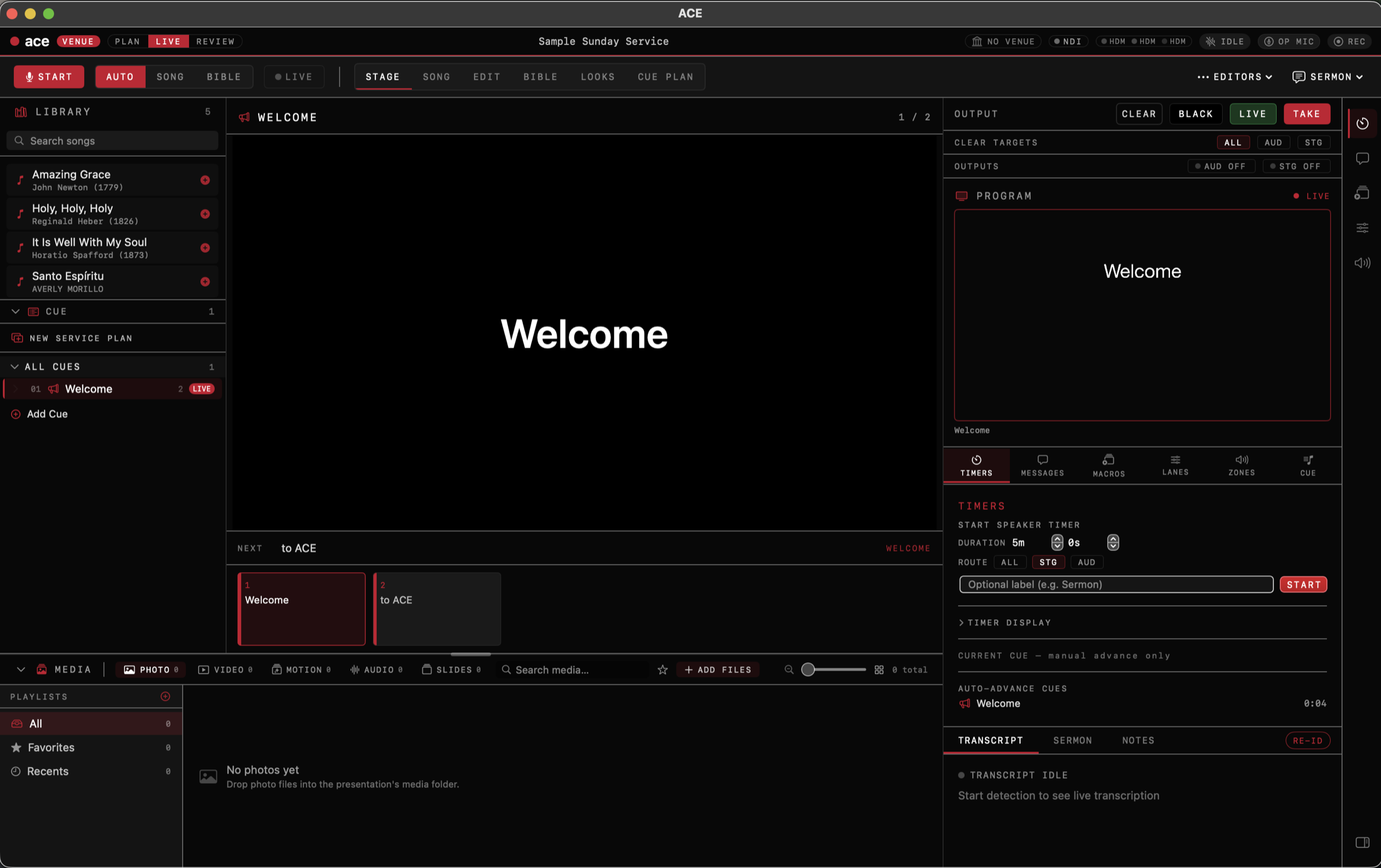
Plan and run your day with AI routines.
Photograph a syllabus, planner, or whiteboard and ACE Schedule reads it into a working week — then guides you through actually running each day, from the first task to an end-of-day reflection.
- AI schedule import — snap a photo of any plan and get tasks, times, and deadlines extracted for you.
- A daily dashboard laid out by time block and category, with streaks to keep you consistent.
- Projects and Kanban boards for bigger efforts, with milestones and progress tracking.
- Daily AI guidance to open the day and an end-of-day ceremony to close it.
- Progress analytics and exportable weekly reports.
- Cloud sync across web and desktop under one ACE account.
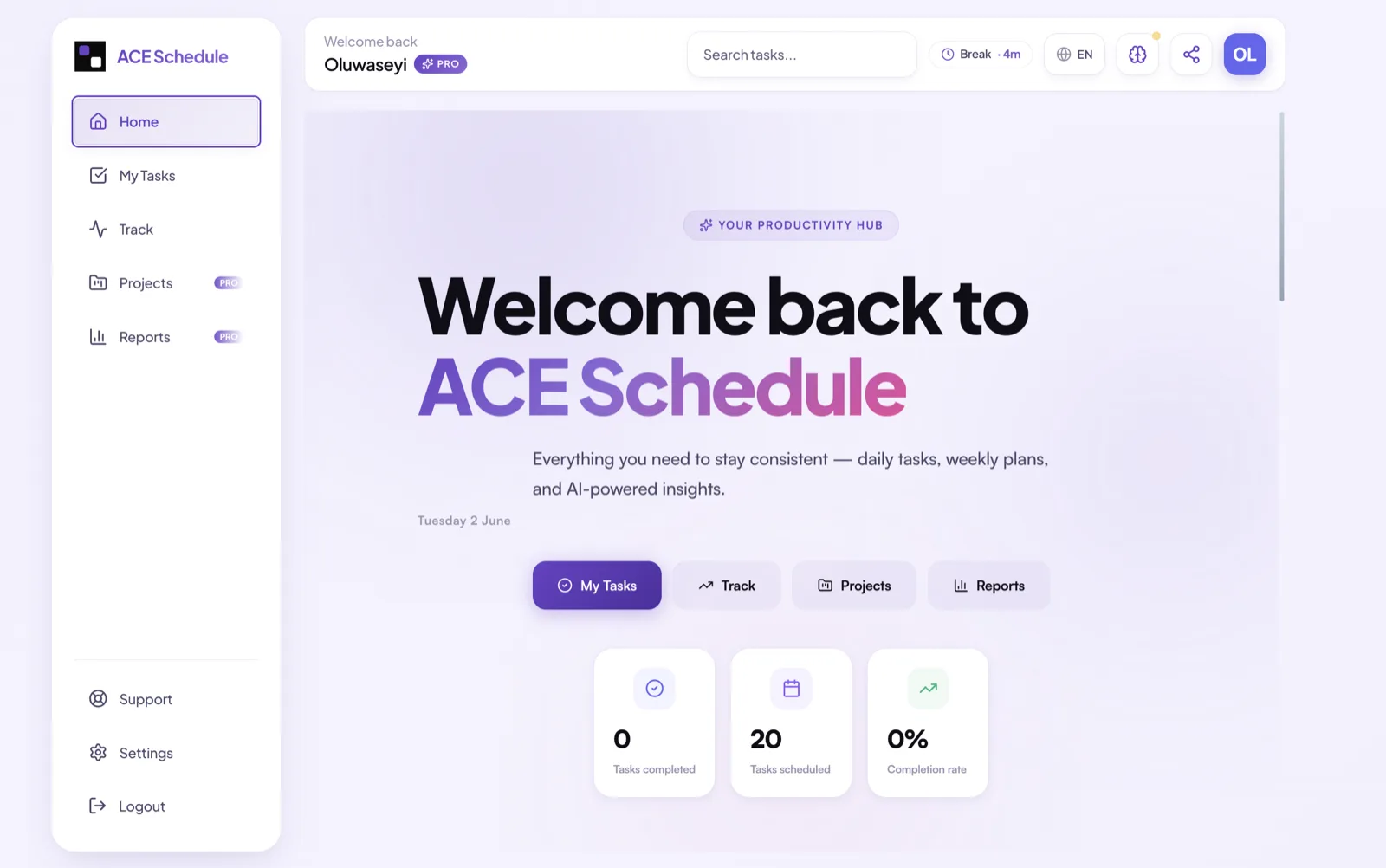
Timecoded notes inside DaVinci Resolve.
A native note-taking app for video editors where every timecode you type becomes a clickable link that jumps Resolve's playhead to that exact frame — so your notes and your timeline are one surface.
- Click a timecode to seek Resolve straight to that frame — no copy-paste, no app-switching.
- Insert the current playhead position with one click; import timeline markers with their colours and comments.
- Rich text, live timecode highlighting, instant search, and auto-save.
- Colour-code notes by department — VFX, Audio, Colour, Edit, Review.
- On-device AI polishes rough notes and transcribes voice memos — nothing leaves the machine.
- Local-first: an offline database, no account, built for locked-down edit suites.
One dashboard for your whole organization.
Where Presenter runs the service and Schedule runs your day, ACE Manager runs the organisation — members, departments, rotas, giving, events, and communication in one place, with an AI agent handling the routine work in the background.
- A member and team directory with departments, roles, and engagement tracking.
- Volunteer rotas, attendance, events with ticketing, and children's check-in.
- Giving and donations with funds, pledges, and online payments.
- Multi-channel messaging — WhatsApp, SMS, email, Telegram, and Instagram.
- An autonomous AI agent that assigns tasks, follows up with members, and drafts reports.
- A member self-service portal, plus Planning Center, Google, Zoom, and Stripe connections.
A shared 3D space for your audience.
A virtual venue that recreates your live event as a place. The audience enters as avatars, watches your program feed together on the in-world stage, hears each other in spatial voice, and a producer drives the room in real time — the same cueing language as Presenter.
- Your live feed on an in-world stage, sub-second, from OBS, vMix, a camera, or Presenter.
- Spatial voice — attendee mics panned to their avatar and fading with distance.
- A producer console that fires scenes and cues — lighting, cameras, and screens — for everyone at once.
- Zero-install audience join by link in any browser, or step inside on a Meta Quest headset.
- Zones, live occupancy, and audio moderation for VIP areas and keynotes.
- Multi-tenant event worlds, metered against your licence — audiences just open a link.
One ACE account works across every product. Start with the one you need today — the rest are there when you grow into them.