The room speaks. The slides follow.
Live worship and event presentation that listens to the service and fires the next lyric or verse — on-device by default, no clicker.
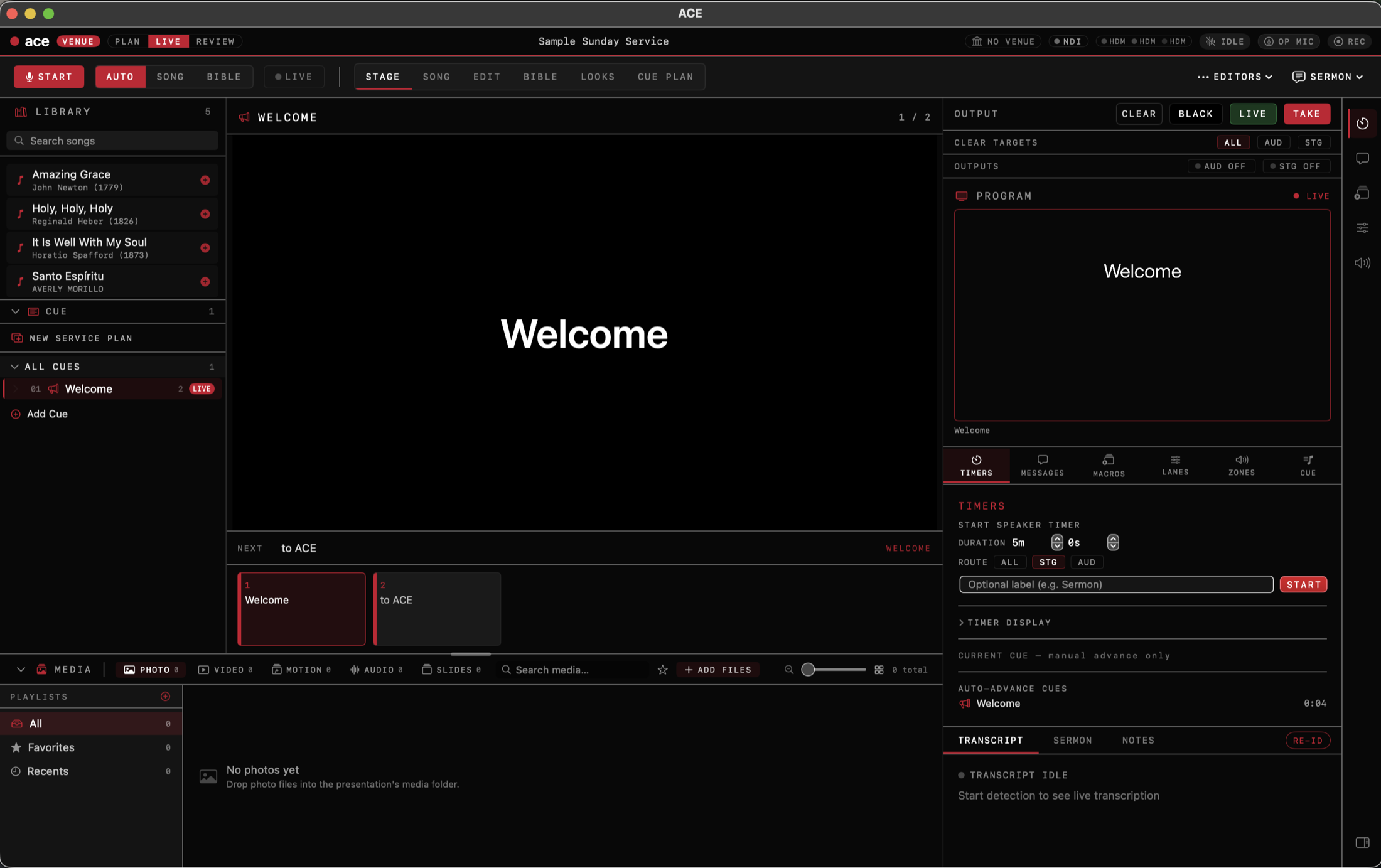
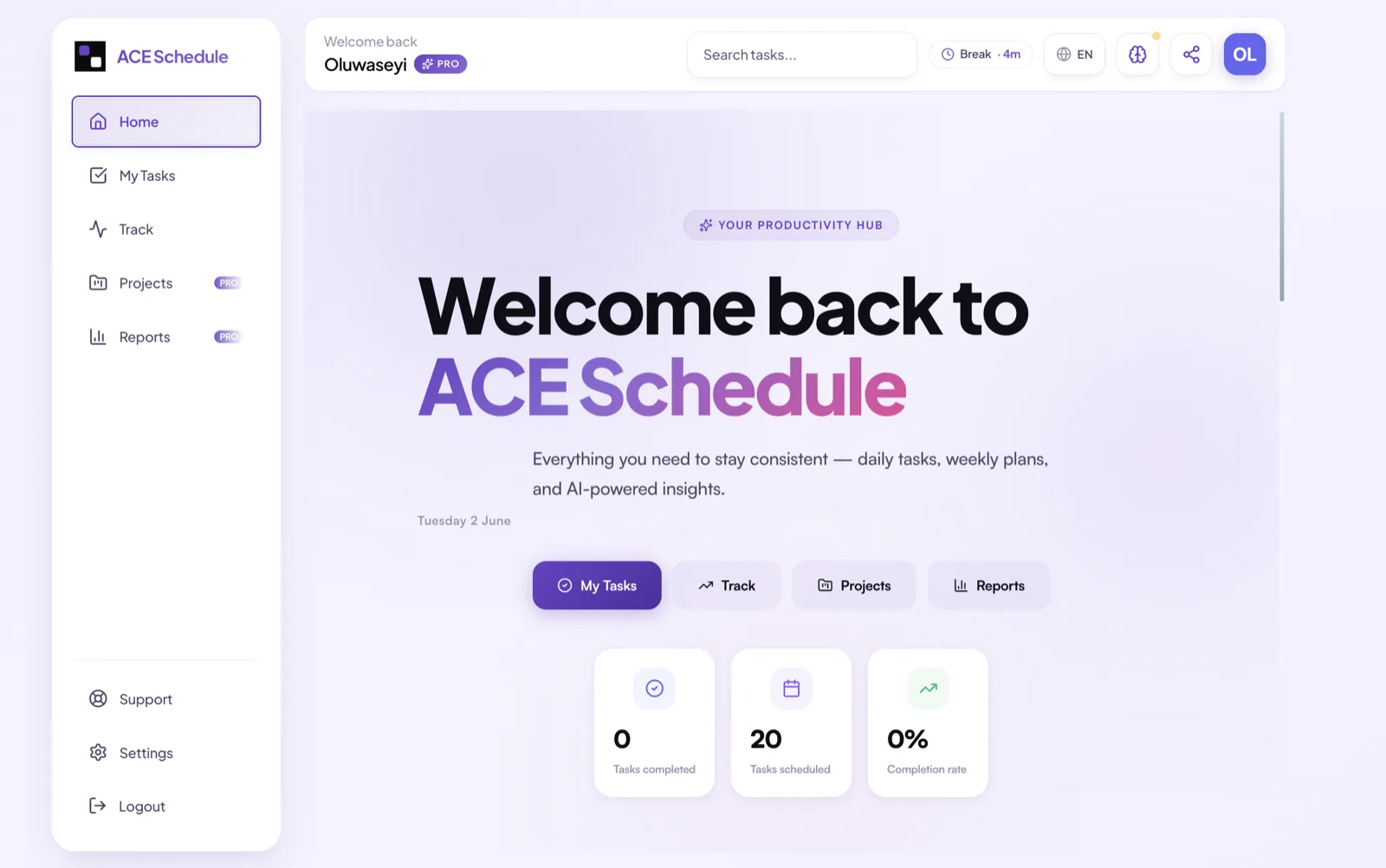
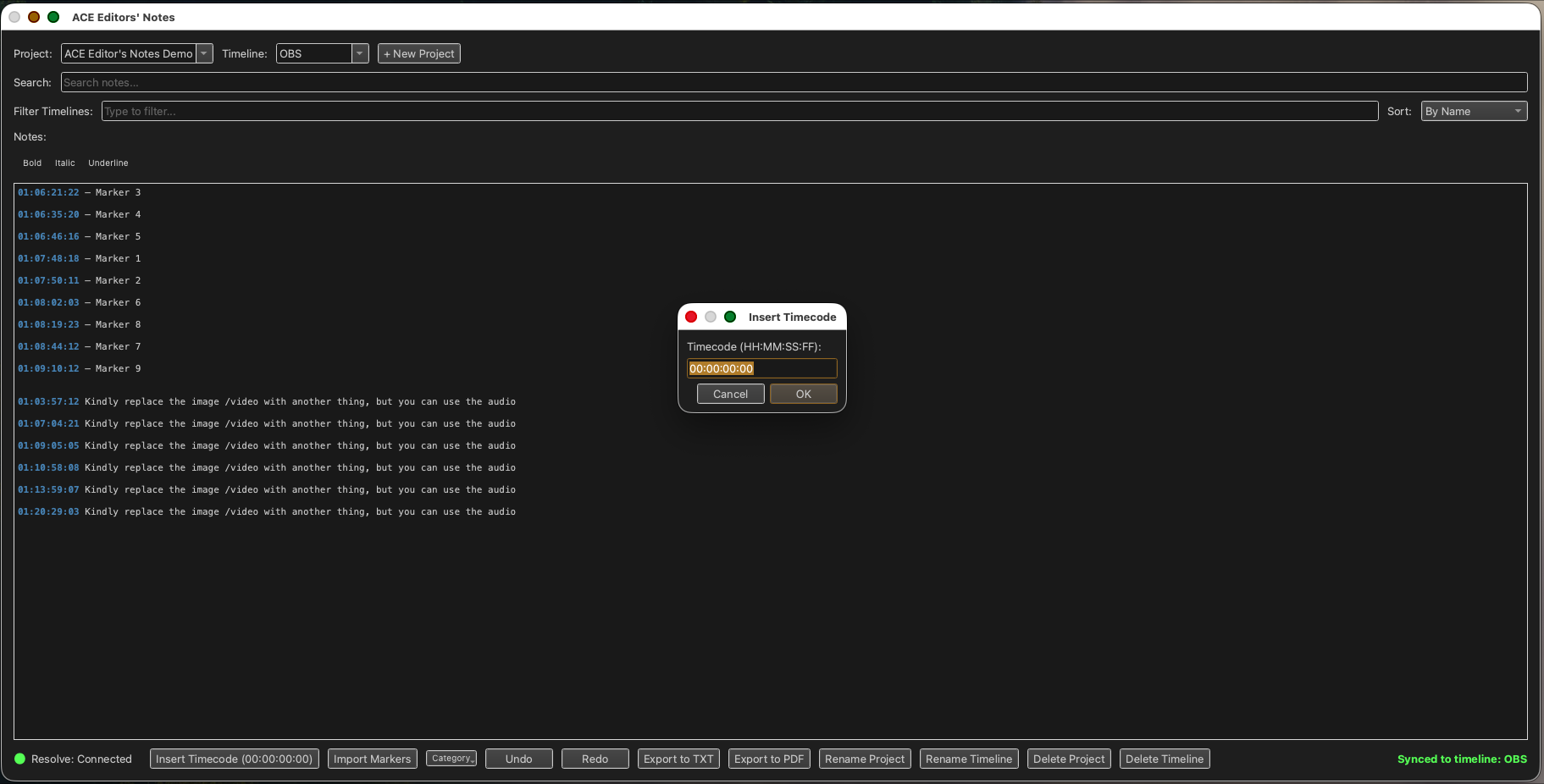
Presenter·1/5
Runs with the gear you already have
Say it. Watch the cue follow.
This is a working slice of ACE Presenter. Type what someone on stage would say — a line of a hymn, a Bible reference, “next slide” — and the right cue goes live, the way it does in the app.
Start detection to see live transcription
This demo reads text in your browser · the app hears the room, on-device by default, in dozens of languages
One account. Five tools.
Three shipping today, two on the way — all built to the same bar: native where it counts, on-device by default, made for people running real rooms.
Slides that follow the room.
ACE listens to the service and fires the next cue — lyrics, scripture, and decks that keep up with the band and the preacher. No clicker. On-device by default; cloud detection only if you switch it on.
- ✓Live lyric + scripture detection, dozens of languages
- ✓HDMI · NDI · Syphon · SDI · ATEM · OBS · OSC output
- ✓ProPresenter import that keeps your playlists and media bin
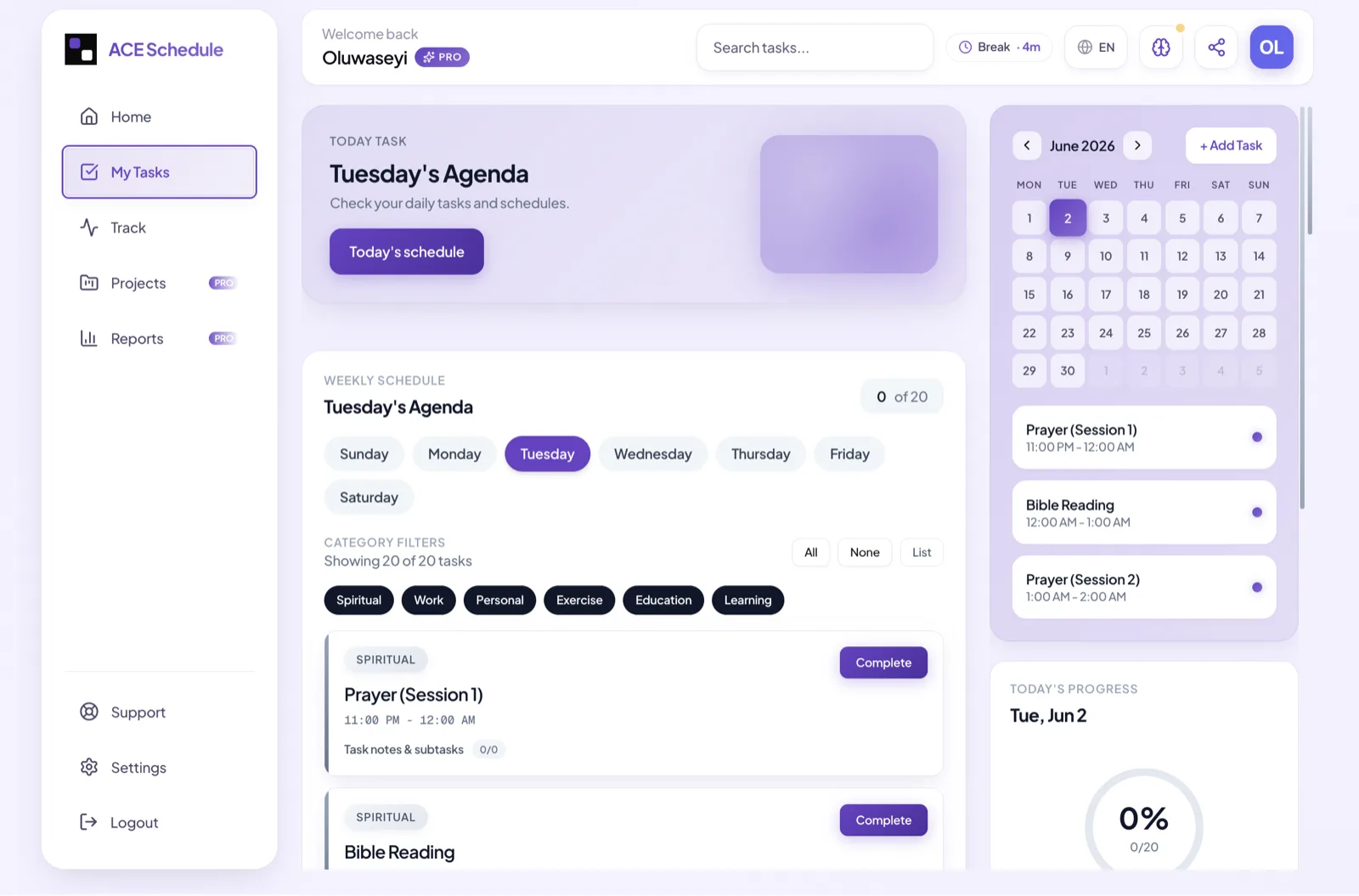
Build the day. Run it.
Photograph a syllabus and ACE turns it into a plan. Routines, Kanban projects, daily AI guidance, and two-way calendar sync — for the people behind the event.
- ✓AI import from a photo of any plan
- ✓Kanban projects, milestones, weekly view
- ✓Google Calendar sync + cloud everywhere
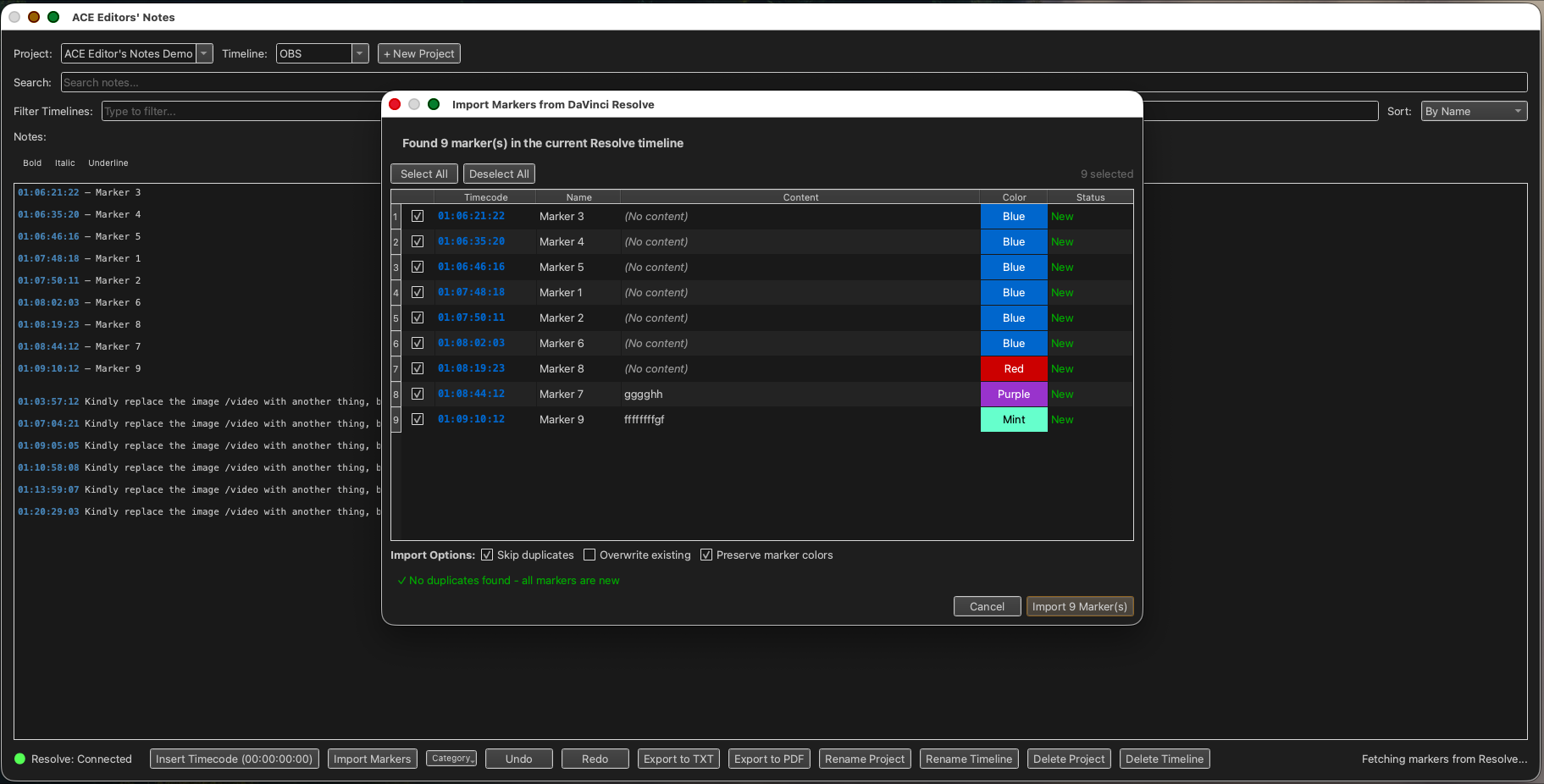
Notes that talk to Resolve.
Every timecode is a click — tap it and DaVinci Resolve's playhead jumps to that frame. Import markers, color-code by department, export to PDF. Local-first, works air-gapped.
- ✓Click-to-seek timecodes into Resolve
- ✓Import timeline markers with colors
- ✓Rich text, per-project, PDF export
Click around the real thing.
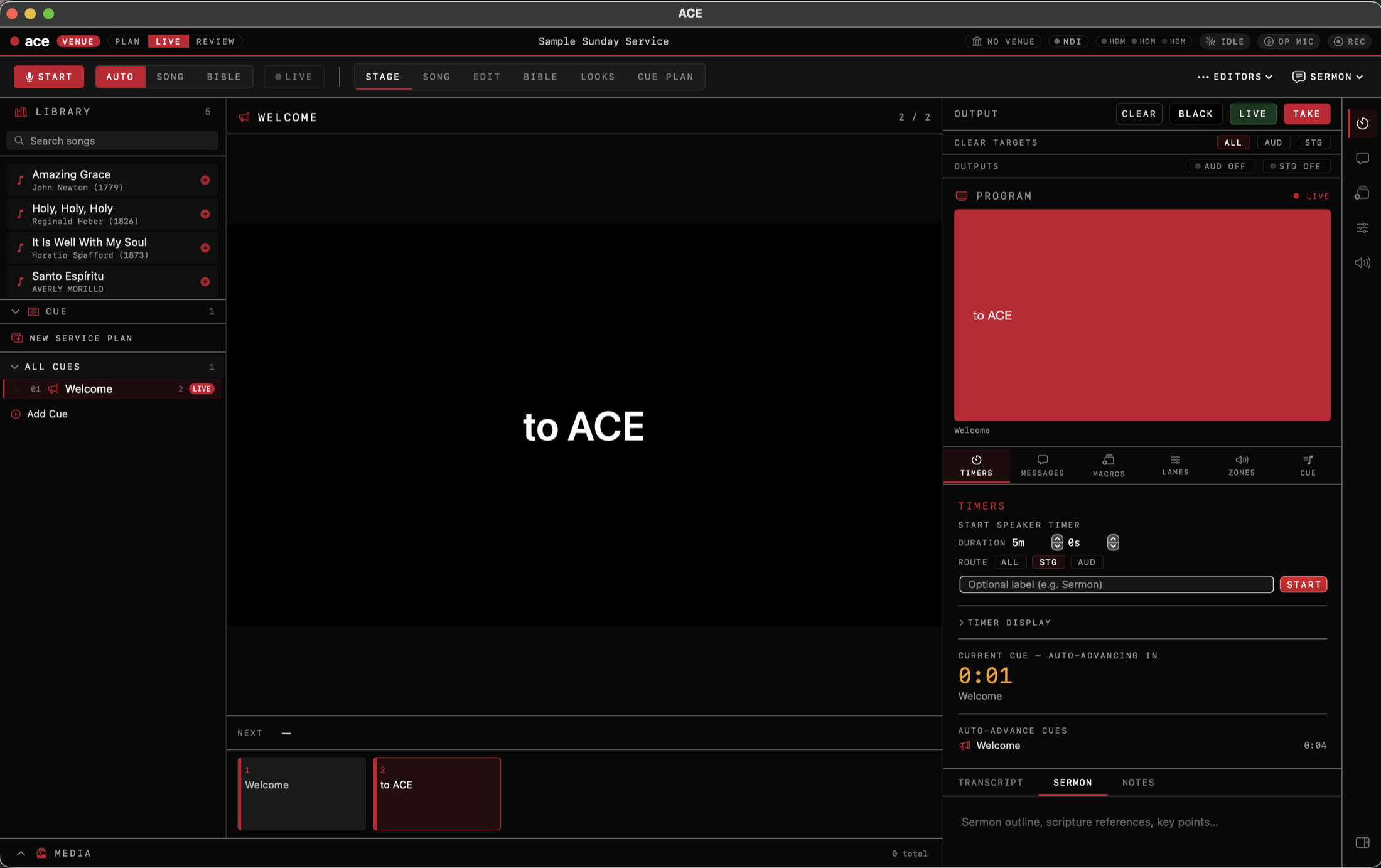
Real screens from the apps. Step through each one — and where there's a clip, watch the feature working in a live service.
Start listening
One button. ACE listens to the room through your mic — on-device by default — and the live transcript starts on the right. Detection Settings decide who's in control, including voice commands for the speaker.
Click a number, or use ← → to step through
More on Presenter →The same engine. Four rooms.
Built to work together
One account
Sign in once. Your license covers Presenter, Schedule, and Editors' Notes today — with Manager and World joining as they ship.
Tools that hand off
Plan in Schedule, run the room with Presenter, mark up the recording in Editors' Notes. Built to pass work between them cleanly.
One standard
Every tool we add is built to the same bar: native where it counts, on-device by default, and made for people running real rooms.
“You run the room. The cue runs itself.”
No clicker needed · on-device by default · cloud detection only if you switch it on
Free to start. Fair to grow.
Per-product plans or a suite bundle. No surprise costs.
Ready when the room is.
You run the room. The cue runs itself. Free tier available; Pro from $25/month.