Notes that talk
to Resolve.
Every timecode is a click. Every clip is a marker. ACE Editors' Notes lives next to your timeline.
Free · macOS · Apple Silicon · DaVinci Resolve integration · Part of the ACE Suite
Click. Jump. Edit.
Every timecode is a live link to your Resolve timeline.
Click a timecode. Resolve jumps.
v1.2.0 · macOS · DaVinci Resolve 17+ · Free
Built for the edit suite
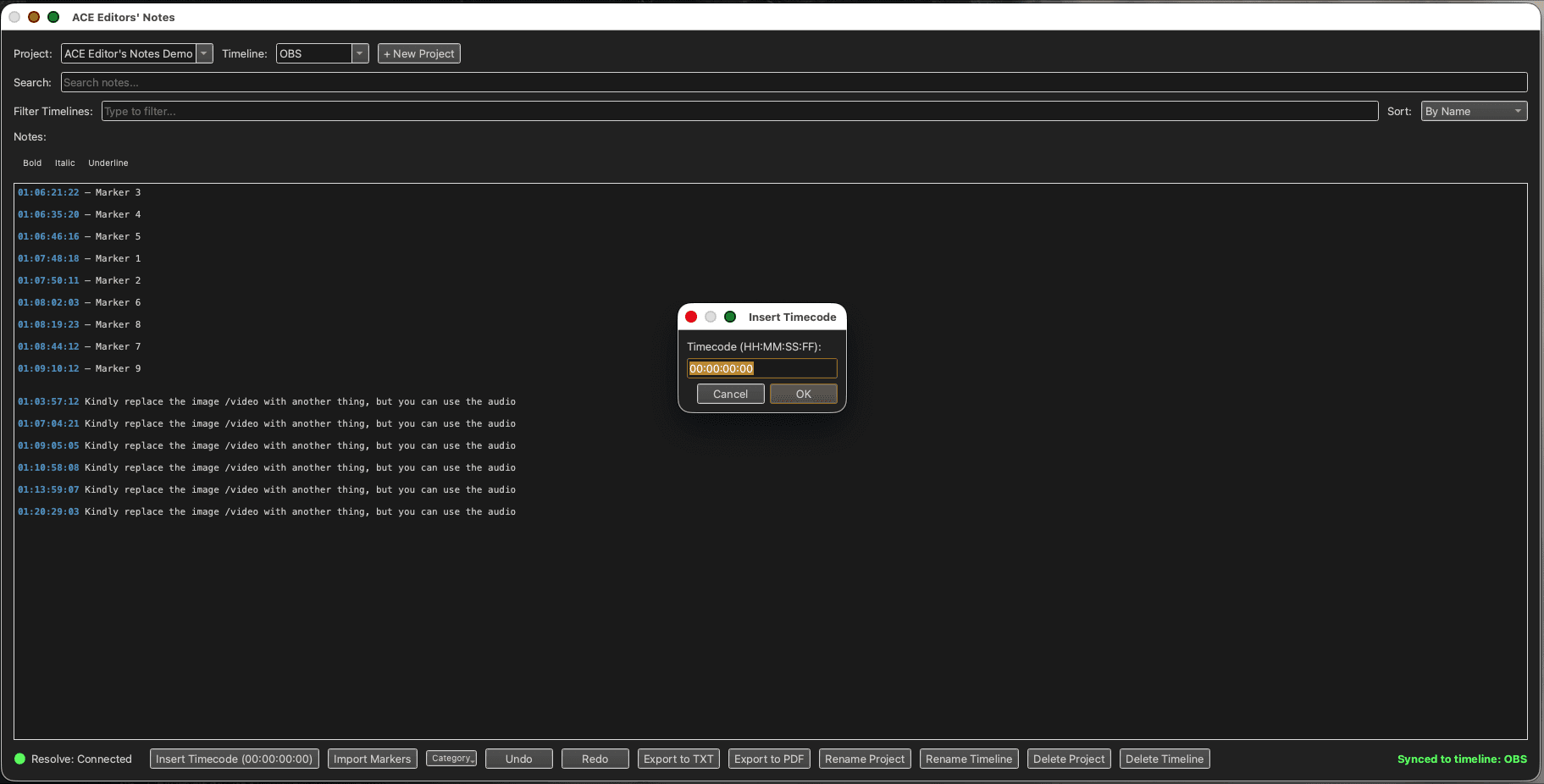
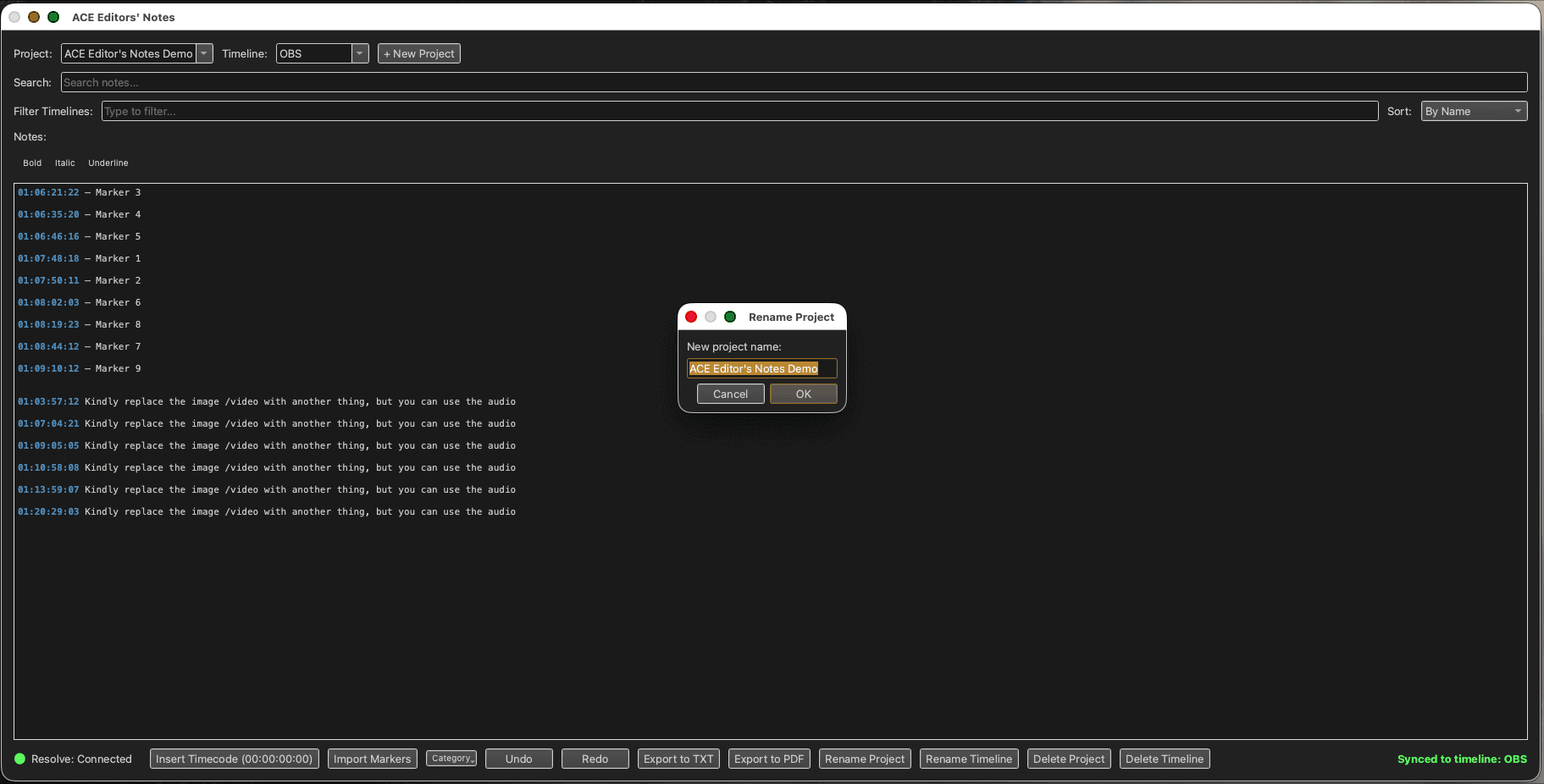
Insert Timecode — Type any timecode — it's immediately clickable. Click and Resolve seeks.
What Editors' Notes actually does
Every timecode is a click.
Type a timecode in your notes — it's immediately clickable. Click it and Resolve jumps to that frame. No copy-paste, no hunting.
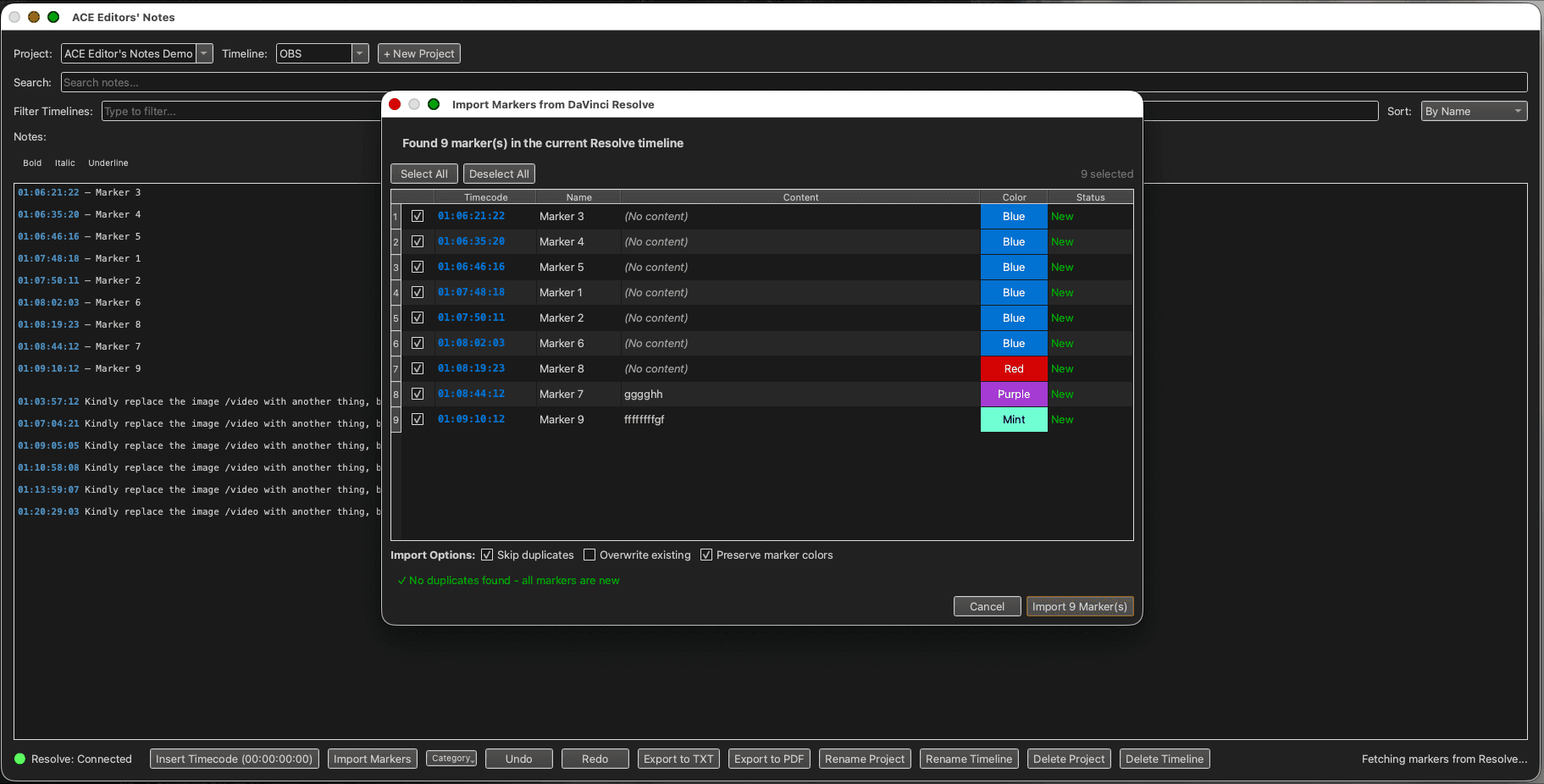
Import markers from Resolve.
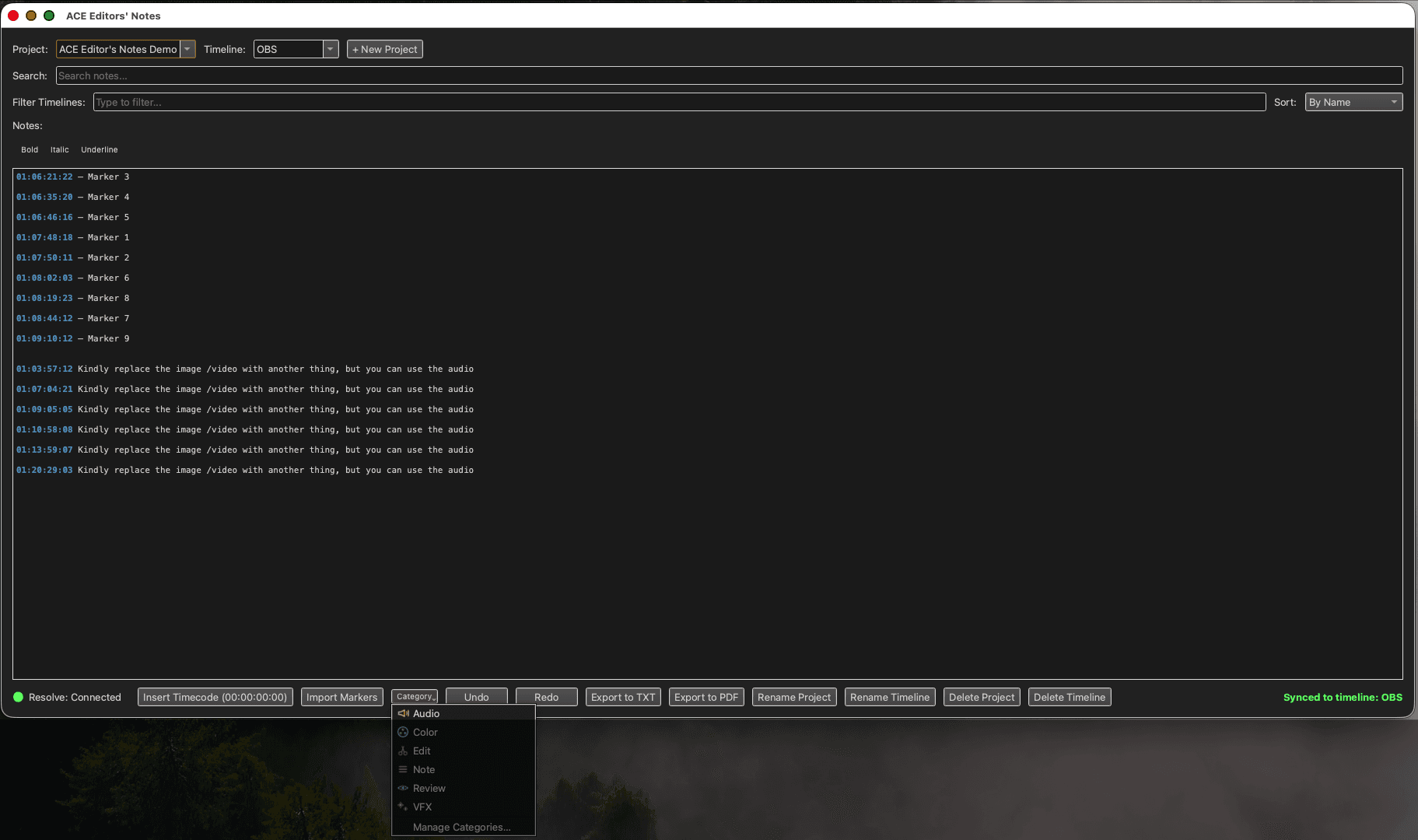
Pull Resolve markers directly into your notes as structured entries. Each marker becomes a note with timecode, color, and comment.
Notes per project.
Full rich-text editor. Organize notes by project. Color-code by category. Find anything fast.
Print or PDF — one click.
Export your notes as a formatted PDF or send directly to the printer. Useful for handoff between the assistant editor and lead.
Sparkle auto-update.
New versions install in the background. ACE Editors' Notes is always current without interrupting your edit session.
Works air-gapped.
SQLite database, no cloud dependency by design. Post-production facilities that restrict network access are fully supported.
The assistant editor, in the review
Notes that travel with the cut.
The director calls out timecodes. The assistant editor types them into ACE Editors' Notes. Every note is stamped, categorized, and clickable. At the end of the session, the lead editor has a full brief — no transcription lag, no lost sticky notes.
Local-first by design.
Many post-production facilities restrict internet access on editorial machines. ACE Editors' Notes runs entirely on SQLite with no cloud dependency — it works exactly the same on an air-gapped machine as on a connected one.
Notes that talk to Resolve.
Free · macOS · DaVinci Resolve integration · Part of the ACE Suite